

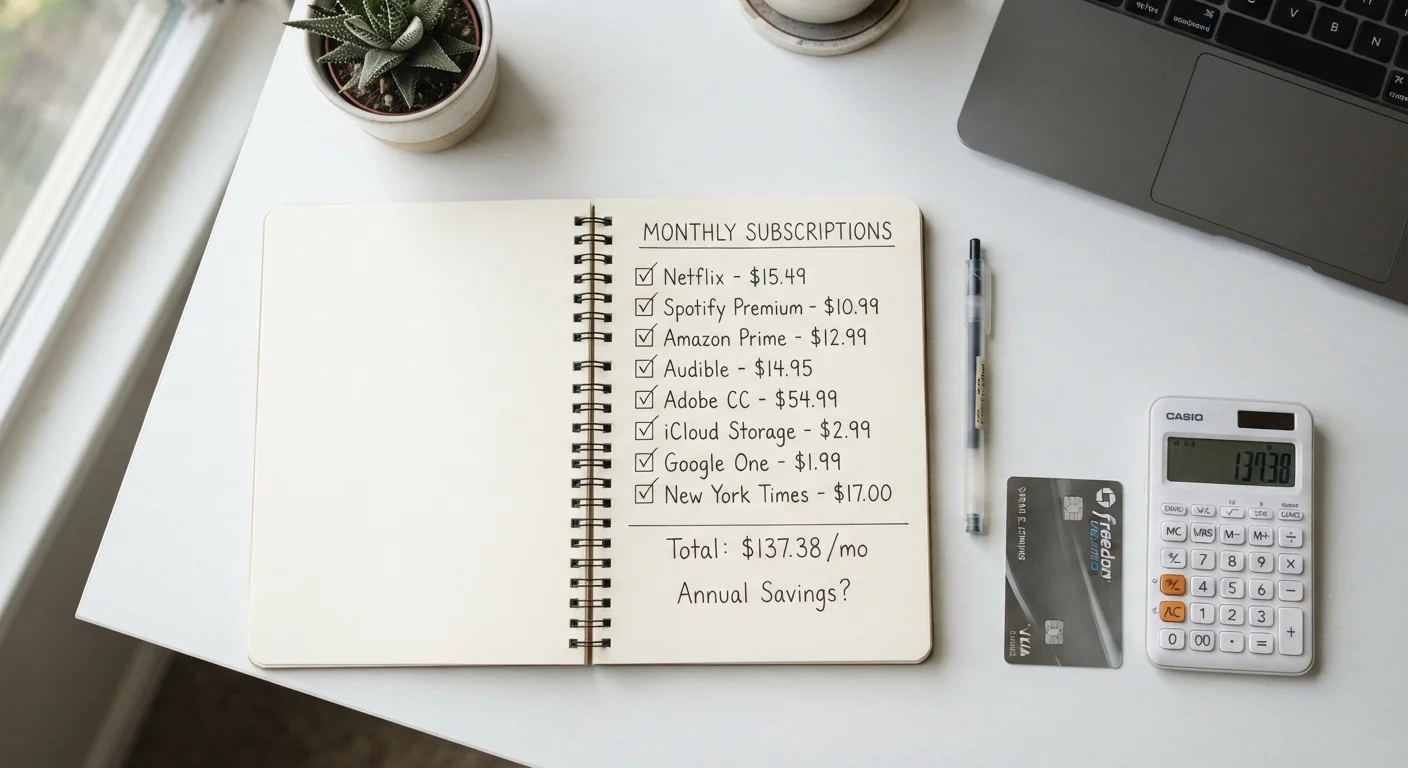
Why Recurring Charges Are Easy to Overlook
Subscriptions and memberships are engineered for invisibility. A $12.99 monthly charge rarely triggers the same scrutiny as a $150 one-time purchase, even though it adds up to over $155 a year. Multiply that across streaming services, software apps, fitness memberships, news outlets, and subscription boxes, and many households are quietly spending hundreds — sometimes over a thousand dollars — on services they've half-forgotten.
Automatic renewals make this worse. When a free trial ends or an annual plan renews, the charge hits your account without any action on your part. That's the point. Services count on low cancellation rates precisely because inertia is powerful.
This isn't a reason to feel bad. It's just a reason to look. A one-time subscription audit — done honestly and thoroughly — can surface charges you'll immediately recognize as cuttable. Think of it as identifying spending leaks before they compound further. The process below will walk you through exactly how to do it.
What You'll Need Before You Start
You don't need special software or a financial background. You do need access to the right accounts.
What you will need
Having these ready before you begin means you won't lose momentum mid-audit. If you share finances with a partner or spouse, loop them in — subscriptions are often duplicated across households when two people sign up independently for the same service.
How to Find and Evaluate Every Subscription You Pay For
Follow these steps in order. The goal isn't just to build a list — it's to make a clear-eyed decision about each item on it.
Pull three months of bank and credit card statements
Go back at least 90 days on every account you use regularly. Look for any charge that appears more than once — monthly charges will show up two or three times; annual charges may appear just once but for a larger amount. Flag everything that repeats, even small amounts like $1.99 or $4.99.
Search your email for billing and receipt notifications
Search your inbox for terms like 'receipt,' 'invoice,' 'your subscription,' 'renewal confirmation,' and 'payment confirmation.' Services often send billing emails even when they don't appear prominently on your statement. This step catches services billed through third parties, like app stores, that may show up differently in bank records.
Check app store subscription settings
Both Apple and Google let you view and manage active subscriptions directly through your account settings. These are easy to miss in a bank statement because they appear as a lump charge from the app store rather than from the individual service. Review these lists carefully — it's common to find apps you downloaded once and forgot.
Build a complete list with amounts and billing frequency
Record every recurring charge you've found: the name of the service, the amount, whether it bills monthly or annually, and what payment method it uses. A simple spreadsheet with those four columns is enough. Convert annual charges to a monthly equivalent (divide by 12) so you can compare everything on the same scale. Total the column — that number is your current recurring spending baseline.
Evaluate each item by actual use, not intended use
For each service on your list, ask one question: Have I used this in the past 30 days? Not 'do I plan to use it' or 'did I use it when I first signed up.' Actual recent use. Services you haven't touched in a month or more are strong candidates for cancellation. Services you use regularly and would genuinely miss are worth keeping. This is the core judgment call of the audit.
Cancel, pause, or downgrade what no longer earns its cost
For services you've decided to cut, cancel them directly rather than putting it off. Most services allow cancellation through account settings on their website. For anything you're uncertain about, check whether a pause or lower-tier plan is available — some services let you reduce your plan without losing your account history. Document what you canceled and when, in case a charge appears on your next statement in error.
Once you've worked through the steps, you'll have an accurate picture of your recurring spending. That number often surprises people. If you want to integrate subscriptions into a broader spending framework, the budget categories every household should account for is a useful reference for where these charges belong in your overall plan.
Make Your Audit Part of a Monthly Habit
A full audit like this is worth doing once a year at minimum, but a quick monthly scan takes just a few minutes and prevents the buildup from starting. A monthly financial reset checklist can help you build this into a regular rhythm rather than treating it as a one-off task.
Staying on Top of Subscriptions Going Forward
A one-time audit solves today's problem. Recurring charges have a way of creeping back in — a free trial here, a promotional sign-up there. A few habits can prevent the buildup from happening again.
Set a calendar reminder for annual renewals. When you sign up for anything that bills annually, put a note in your calendar two weeks before the renewal date. That gives you time to cancel without rushing.
Use a dedicated card for subscriptions. Running all recurring charges through one credit or debit card makes future audits much faster. You'll know exactly where to look.
Include subscriptions in your monthly budget review. A monthly budget audit checklist is a natural place to scan for any new charges that showed up unexpectedly.
Check before you sign up for free trials. Ask yourself whether you'll actually remember to cancel. If the answer is uncertain, skip it or set an immediate cancellation reminder the moment you sign up.
Automation in your finances can be a genuine convenience — but as with any automated system, it works best when you review it periodically. The tradeoffs of automating your finances are worth understanding so you're not trading control for convenience without realizing it.
This article is for general informational purposes only and does not constitute personalized financial advice. Consider speaking with a qualified financial professional about decisions specific to your situation.
The content on this site is for informational purposes only and is not a substitute for professional advice. Always consult a qualified professional for guidance specific to your situation.